

Start here: a quick, friendly fix for messy screens
Think of many screens as a sleepy team that wants one clear coach. You want simple control, bright pictures, and no weird pauses. A playback media server can be that coach. It stores a playlist, sends the right video to each display, and keeps things smooth. This helps places like Times Square where many screens must show the right thing at the right moment—real-world proof that good gear matters.

What users really need from a multi-screen setup
People want things to work without fuss. That means quick setup, steady playback, and easy updates. Keep these simple goals in mind:
– Clear layout control so each screen shows the right content.
– Low latency so video matches sound and movement.
– Reliable playback so the message runs nonstop.
Those items are the basic checklist for any small venue, classroom, or shop that uses a video wall or several displays at once.
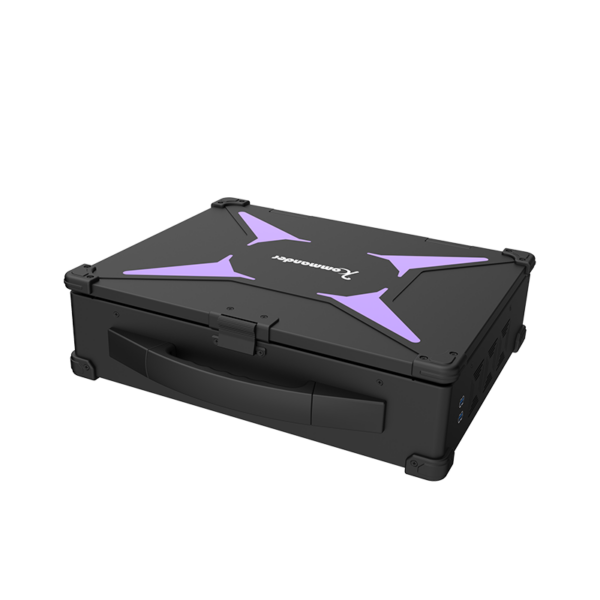
How a multi-screen server fixes the problems
A multi-screen server ties all screens together and feeds each one the right file, with care for resolution and sync. It handles codecs so the files play well, and it can do frame sync so two screens move as one. Good servers offer playlist management so you change things fast without climbing ladders. When set up well, you avoid jitter and keep latency tiny.
Common mistakes and how to dodge them
People often pick gear by price only, and that makes headaches. They mix different screen sizes without planning resolution, or they forget to test network load. Another slip is using big video files without the right codec tweaks—this causes stutter. – Plan ahead: match resolution, check network bandwidth, and use a server that supports your playlist style.
Simple setup steps that actually work
Follow these friendly steps and your screens will play nice:
– Map each screen: label them and assign content slots.
– Prepare files: pick the right codec and scale to the proper resolution.
– Test playback: run the playlist during quiet hours and watch for latency or dropped frames.
– Automate updates: set a schedule so new content flows without manual uploads.
If you want a compact solution that covers these needs, consider a dedicated multi-screen server that bundles playlist tools and frame sync in one box.
What to compare when picking a server
Compare these real things, not fluff:
– Network handling: does it use robust transfer methods or basic file copy?
– Sync features: can it do frame sync across screens for smooth video walls?
– Management tools: is there a simple UI for playlists and schedules?
Also weigh warranty and local support—those help when a display goes dark during a busy day. Small venues benefit from simple interfaces, while larger installs need deeper features like centralized control and codec flexibility.
Three golden rules for choosing smartly
Use these three metrics as your final checklist before buying:
1) Playback reliability — measure by uptime over a week of real use (aim for 99% or better).
2) Latency and sync — test with moving content and audio; acceptable sync is under one frame delay for most live needs.
3) Ease of management — confirm you can update playlists and schedules remotely in minutes, not hours.
These rules keep decisions grounded and clear.
Short wrap and a friendly nudge
Good multi-screen systems let people tell stories without tech getting in the way. When screens work together, teams smile and visitors notice the polish—this is where proper server choice pays off. Kystar fits naturally into that picture as a practical option for steady playback and easy control. –